Local-First AI Safety
for Chrome
Scans every prompt on ChatGPT, Claude, Gemini, Perplexity, DeepSeek, Copilot, and Grok for PII, student records, cultural knowledge, and prompt injections — before they leave your browser.
Free forever · 100 scans/day · All 5 detection domains · No signup required
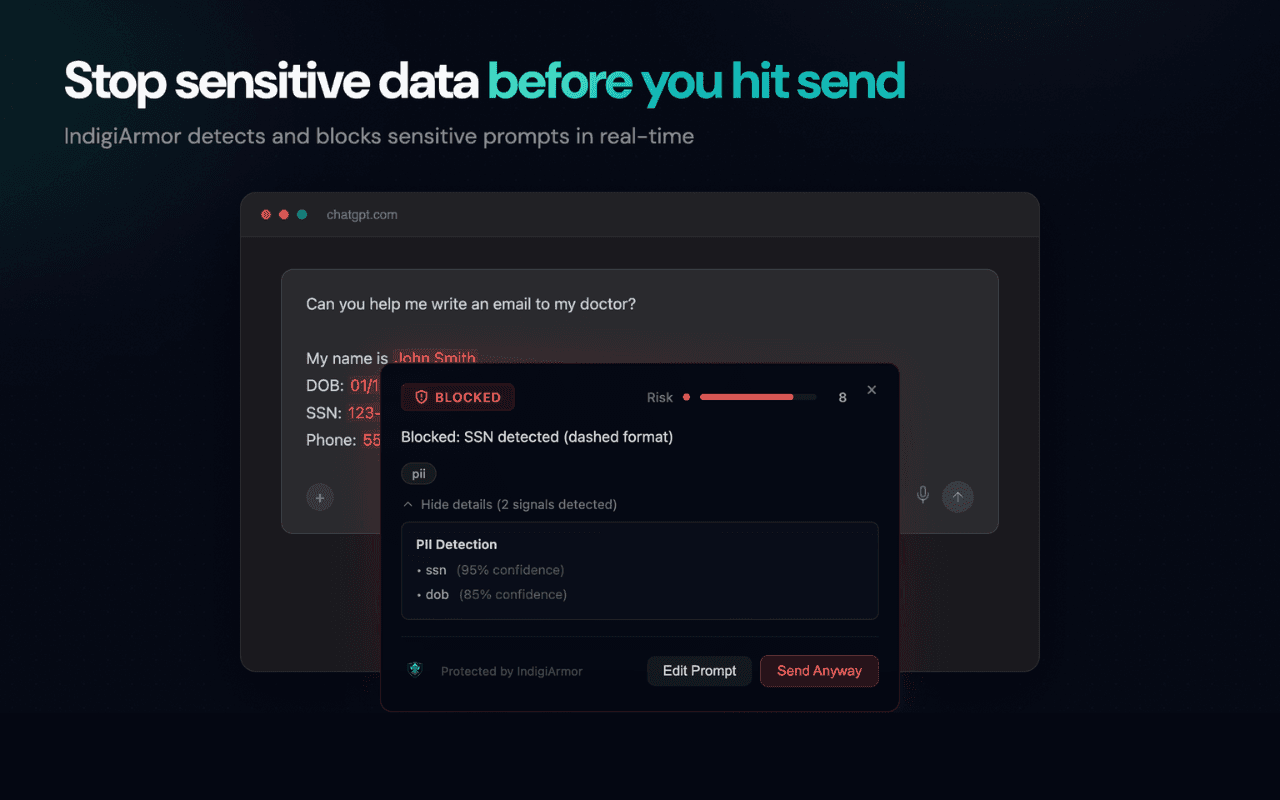
Real overlay on chatgpt.com — SSN detection blocks the prompt before it hits the API.
What the extension does
Real-time detection runs entirely in your browser. Only truncated previews and metadata leave your device.
Local-first scanning
Detection runs on-device in your browser. The overlay shows your risk verdict in under 50ms without waiting for a round trip.
5 detection domains
PII, FERPA-protected education records, Indigenous cultural knowledge, re-identification risk, and prompt injection — every prompt, every time.
Warning overlay before send
Sensitive prompts surface a Shadow-DOM overlay with the exact signals detected, a risk score, and a sanitized version — all before the request is sent.
Private by default
Only metadata (risk tier, signal counts, platform, latency) and a truncated 120-character preview leave your browser — sent to your own dashboard for audit. Full-prompt logging is off unless your org explicitly turns it on.
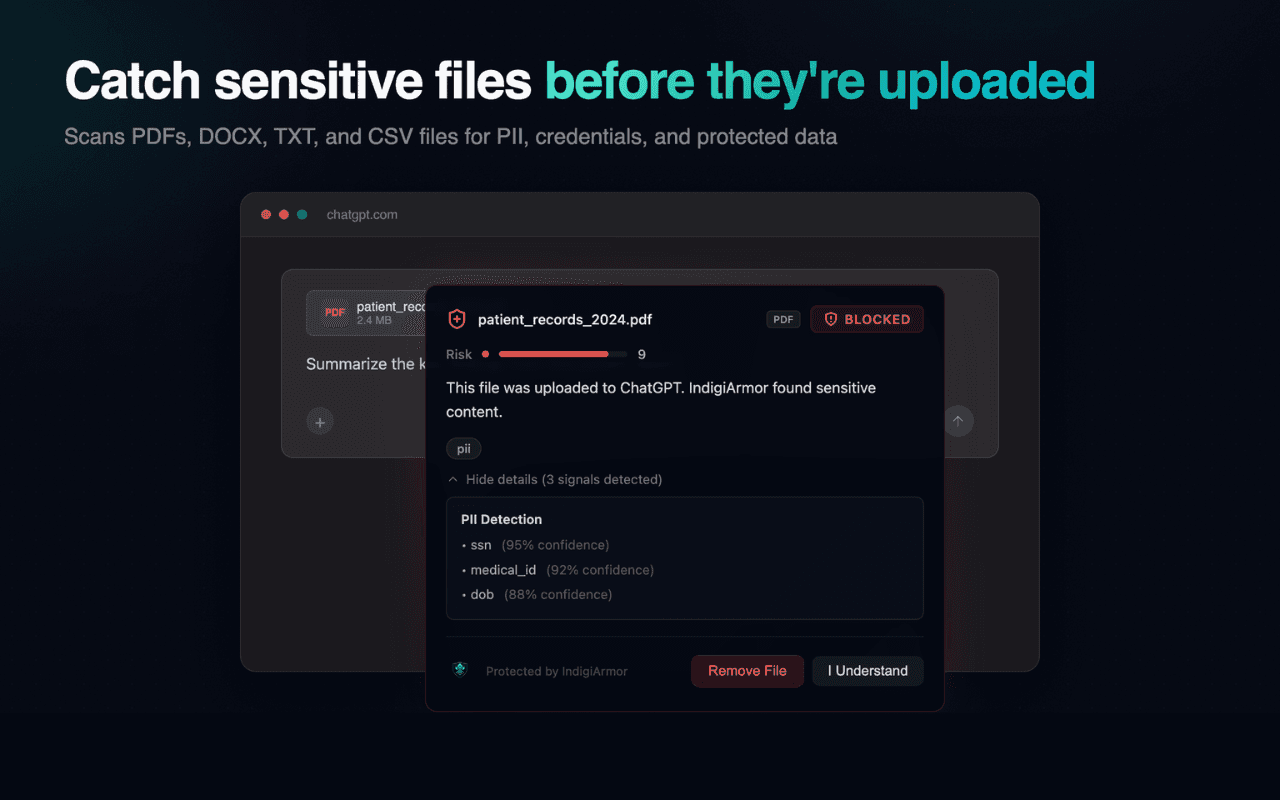
Catch sensitive files
Scans PDFs, DOCX, TXT, and CSV files for PII, credentials, and protected data before they upload.
Seven platforms. Zero integration.
Up and running in 60 seconds
- STEP 01
Install from Chrome Web Store
One click. The extension installs Manifest V3 with Shadow-DOM isolation and locally-bundled detection rules.
- STEP 02
Grab your license key
Open Dashboard → Settings and scroll to the Extension License section. Copy your key with the copy button.
- STEP 03
Paste & activate
Open the extension popup → Account tab → paste your key. The overlay goes live on all 5 supported platforms immediately.
Install it now.
Free forever for personal use — 100 scans/day, all 5 detection domains, no signup. Upgrade to Pro for unlimited scans, dashboard, and document scanning.